By Eagle Tech Corp
September 18, 2026 • 6-minute read
Quick Answer
Technology downtime costs architecture firms more than the hours spent completely offline. Slow Revit performance, unreliable networks, file-access problems, login delays, and recurring IT interruptions can quietly consume hundreds of productive hours each year. If 20 employees lose an average of just 15 minutes per workday to technology problems, that adds up to approximately 1,250 lost work hours per year.
Understanding where those hours are disappearing helps firms determine which technology problems are minor inconveniences and which ones deserve investment.
Downtime Does Not Always Look Like an Outage
Imagine a project team working toward an afternoon deadline.
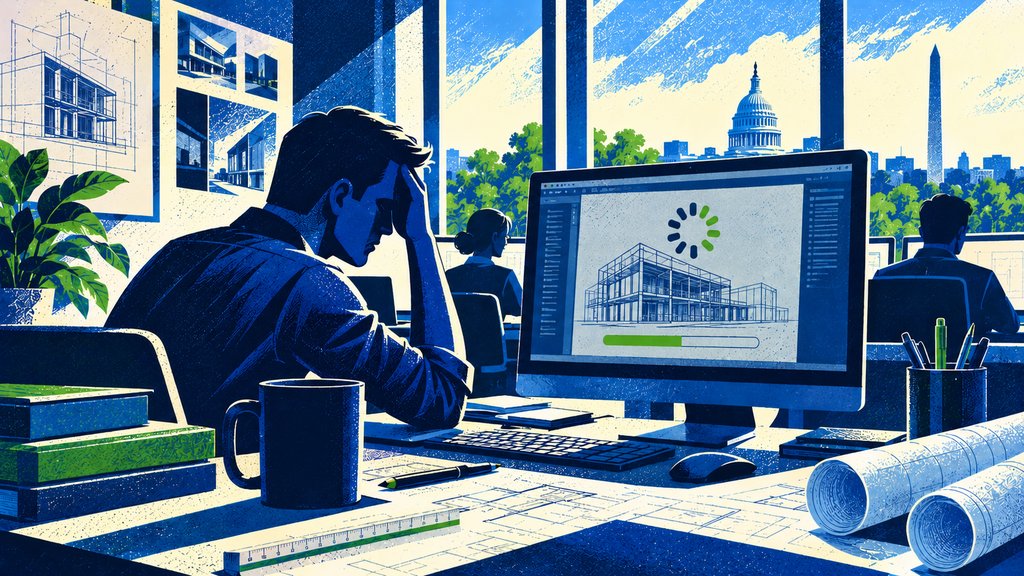
Revit takes longer than usual to open a model. A project manager cannot access a shared folder. Another employee restarts a workstation because an application has frozen. Someone working remotely reconnects to the VPN for the third time that morning.
Nobody considers the firm "down."
Everyone is still working.
But productivity is disappearing a few minutes at a time.
For architecture firms, this type of technology friction can be more difficult to recognize than a major outage because it gradually becomes part of the normal workday.
Employees adapt. They restart computers, wait for files to open, find workarounds, or ask coworkers whether the system is slow for them too.
A recurring Revit performance problem might cost only a few minutes at a time. Multiply those minutes across several architects, several projects, and an entire year, however, and the business impact looks very different.
Start by Calculating the Lost Hours
The simplest way to understand technology downtime is to start with time rather than dollars.
Consider a 20-person architecture firm where each employee loses an average of 15 minutes per workday because of technology problems.
The calculation is straightforward:
20 employees × 0.25 hours × 250 workdays = 1,250 hours per year
That does not mean every employee loses exactly 15 minutes every day. One architect might lose 30 minutes waiting for a model, while another experiences almost no interruption.
The calculation exposes the cumulative effect.
Even five minutes matters.
For the same 20-person firm:
20 employees × 0.083 hours × 250 workdays = approximately 415 hours per year
This gives leadership a useful starting point.
The next step is understanding where those hours are being lost.
Use the Frequency, Reach, and Duration Framework
Architecture firms can evaluate recurring technology problems using three factors: frequency, reach, and duration.
1. Frequency: How Often Does It Happen?
A 10-minute interruption that happens once a year probably does not deserve executive attention.
A 10-minute interruption that happens every morning might.
Look for recurring problems such as slow startup times, application crashes, unstable remote access, unreliable Wi-Fi, synchronization problems, or repeated support requests.
Frequency is often the first indication that a technology annoyance has become a business problem.
2. Reach: How Many People Are Affected?
A problem affecting one employee is different from a problem affecting an entire project team.
Suppose a shared-file problem interrupts eight employees for 30 minutes.
That is not simply a 30-minute incident.
It represents:
8 employees × 0.5 hours = 4 hours of combined productive time
If the interruption also prevents a project manager from coordinating with consultants or preparing a client deliverable, the operational impact may extend beyond those four hours.
3. Duration: How Long Until Normal Work Resumes?
Recovery time is not always the same as repair time.
A network problem might technically be resolved in 20 minutes, but employees may need additional time to reopen applications, reconnect to project files, verify synchronization, and remember exactly where they left off.
When measuring downtime, consider how long it takes employees to return to normal productivity, not simply how long it takes to close the support ticket.
The Most Expensive Downtime May Be the Downtime You Ignore
Architecture firms naturally prioritize major failures.
A network outage gets attention. A server failure gets attention. A cybersecurity incident gets immediate attention.
Persistent technology friction is easier to tolerate.
That is exactly why it can become expensive.
Consider a project team working with large Revit models. If performance gradually declines, employees may accept longer loading, synchronizing, and processing times because there was never a single moment when the system failed.
The same thing happens with aging architecture workstations. An older workstation may still function, but if an architect repeatedly waits for demanding applications to respond, the real cost of keeping that computer extends beyond the price of the hardware.
The question becomes less about whether the computer still works and more about whether it allows the employee to work efficiently.
Not Every Delay Requires a Technology Project
The objective is not to eliminate every second of waiting.
That would be unrealistic and unnecessarily expensive.
Instead, identify the technology problems with the greatest business impact.
A useful quarterly exercise is to ask:
What technology issue wastes the most employee time in our firm today?
Then quantify it using the same three factors:
Frequency × Reach × Duration
If ten employees lose 20 minutes several times each week because of one recurring problem, leadership can estimate the annual productivity impact and compare it with the cost of addressing the underlying issue.
That creates a much better basis for technology decisions than simply saying, "The computers seem slow."
Track Patterns, Not Just Support Tickets
Support tickets tell you what happened.
Patterns tell you what may need to change.
If employees repeatedly report Revit performance issues, remote-access problems, Microsoft 365 authentication difficulties, or unreliable connectivity, those incidents should not always be viewed independently.
They may point to a larger infrastructure, hardware, configuration, or process problem.
This is also where a three-year technology roadmap becomes useful. Recurring problems can be documented, prioritized, budgeted, and addressed over time instead of repeatedly being treated as isolated emergencies.
The objective is to move from fixing the same symptoms to reducing the underlying source of lost productivity.
Frequently Asked Questions
How much technology downtime is normal for an architecture firm?
Some technology interruptions are unavoidable. The more useful question is whether the same problems occur repeatedly and whether they materially affect employees, projects, or deadlines. Recurring issues deserve investigation even when each individual interruption seems minor.
Should slow computers count as downtime?
Yes. Downtime does not have to mean a complete outage. If employees regularly wait for applications, project files, models, or systems to respond, that lost productive time should be considered when evaluating technology performance.
How do we calculate the financial cost of downtime?
Start by calculating lost employee hours:
Employees affected × time lost × frequency
You can then multiply the resulting hours by an appropriate internal labor-cost figure. Firms may also consider overtime, delayed projects, missed deadlines, or other business effects, but those costs vary significantly by situation.
What technology problems should we fix first?
Prioritize problems according to their frequency, reach, duration, and business impact. A recurring issue affecting an entire project team will usually deserve more attention than an occasional problem affecting one employee.
How often should we review technology downtime?
A quarterly review is a practical starting point. Look at recurring support issues, employee feedback, system performance, and significant incidents. The goal is to identify patterns before inefficient technology becomes accepted as part of the normal workday.
Bottom Line
Technology downtime in an architecture firm is rarely limited to dramatic outages.
It often appears as five minutes waiting for Revit, 15 minutes troubleshooting remote access, another restart, another disconnected session, or another project file that takes too long to open.
Individually, those interruptions seem small.
Across 15, 20, or 50 employees, they can represent hundreds or even thousands of productive hours each year.
The first step is not buying more technology.
It is measuring where time is being lost.
Once a firm understands the frequency, reach, and duration of recurring technology problems, leadership can make better decisions about which issues deserve investment and which ones are simply minor inconveniences.